Any input on your Mac
Record the built-in microphone, a USB microphone, an audio interface or another input Core Audio can see.

Record Mac system audio and your microphone, without BlackHole.
Choose an audio input, your Mac audio or both together. Press Record. Your finished file appears in Music - with no tracks, routing grid or project setup between you and the sound.
Audio only: WAV, AIFF, CAF or M4A. No screen video, virtual driver or cloud upload.
Apple checks every release before it reaches you. Less than 5 MB to download. No card for the trial.
€19 one-time · version 1.x updates included · one app-specific key for up to 7 Macs · no account or subscription.
Homebrew
brew install --cask px7digital/tap/px7-audio-recorderThe public PX7 cask pins version 1.0.3 and verifies the downloaded ZIP against its published SHA-256 checksum. Homebrew installs the same seven-day trial as the direct download above. The dedicated distribution and support repository documents the release and provides a public issue tracker.
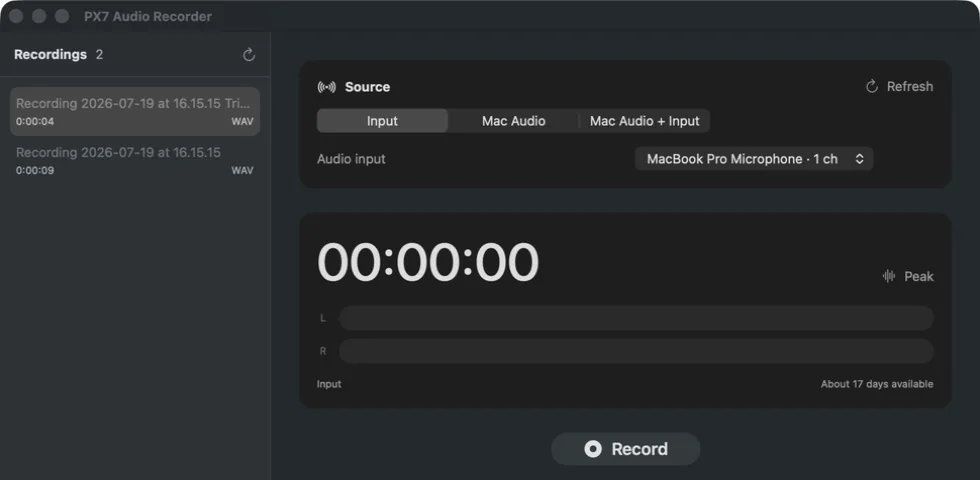
Record the built-in microphone, a USB microphone, an audio interface or another input Core Audio can see.
Capture the audio playing on your Mac without installing a virtual driver or sending the recording through a cloud service.
Record Mac audio and an input together for conversations, demos, walkthroughs and quick voiceovers.
Watch live left and right peak meters and get an unmistakable clipping warning before a take is lost.
Pause and resume one recording. The paused time is left out instead of becoming silence you have to remove later.
Recorder keeps recoverable source audio while recording and offers to finish interrupted sessions the next time it opens.
Save WAV, AIFF, CAF or M4A at 44.1, 48 or 96 kHz, with 16- or 24-bit PCM where the format supports it.
Play a finished recording, see its waveform and save a trimmed copy while the original stays untouched.
Capture and finishing happen entirely on your Mac. There is no upload, account, analytics or telemetry.
Quick answers